
Mechanical versus membrane keyboards for typing
Ads
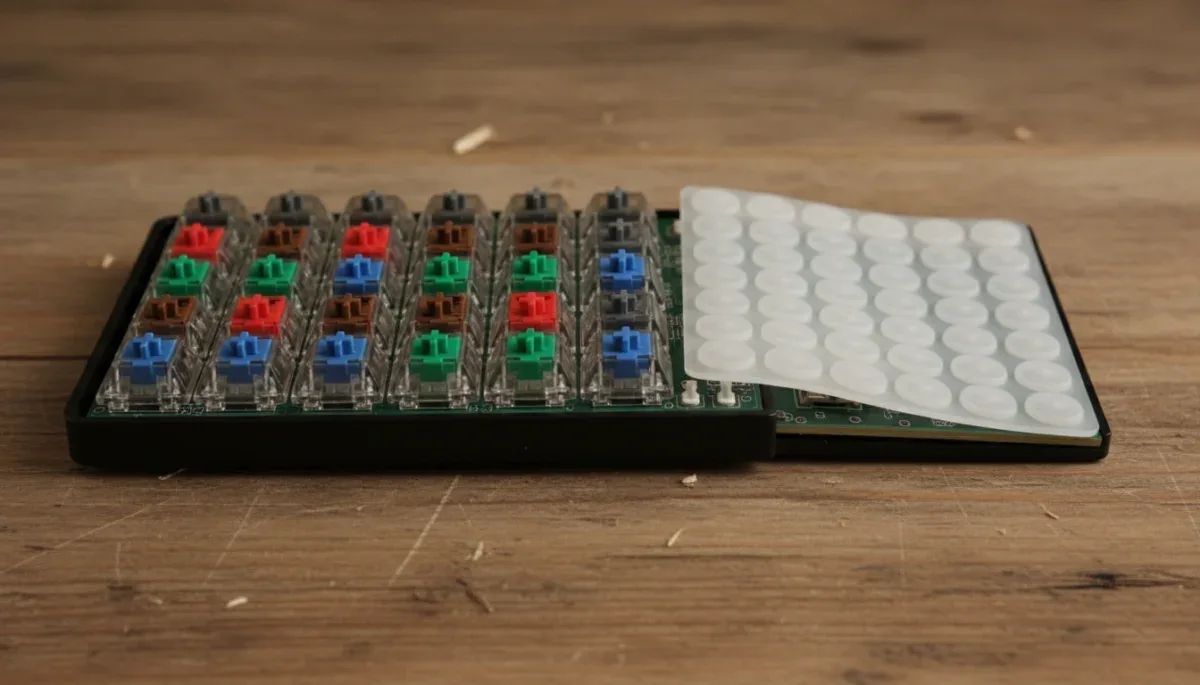
Switch mechanisms change typing feel by controlling how much physical resistance your fingers encounter, where the electrical signal triggers, and whether you receive tactile or audible feedback before the key hits the bottom frame. When comparing mechanical versus membrane keyboards, mechanical units use individual physical switches with metal contact leaves and coiled springs under every keycap, whereas membrane units rely on a continuous sheet of flexible rubber domes sitting above printed circuit traces.
Ads
Understanding these differences helps remote workers, students, and casual gamers choose the right input tool for extended desk sessions without overpaying for features they do not need. The catch is that mechanical models generally cost significantly more, produce louder operating noise, and vary widely in build quality across budget online marketplaces where product descriptions can be ambiguous or misleading.
Ads
How membrane rubber domes create keystroke resistance
Membrane keyboards dominate the budget computing market because they are inexpensive to manufacture, lightweight, and naturally resistant to minor moisture exposure. Underneath the plastic keycaps rests a single, molded silicone or rubber sheet containing raised domes that sit directly over three layers of plastic film. When you push down on a key, the underside of the keycap compresses the rubber dome until the dome collapses inward, pushing a conductive carbon pad down through a spacer sheet into an electrical trace on the bottom circuit layer.
This collapse creates the characteristic feeling known colloquially as a squishy or cushioned bottom-out. Because the electrical circuit requires physical contact between the top and bottom sheets, you must press the key all the way down to register the letter, a process known as bottoming out. The peak resistance occurs at the very beginning of the keystroke, requiring enough force to buckle the rubber dome, followed by a sudden drop in resistance as the dome folds flat against the baseplate.
Characteristics of standard membrane designs
- Uniform resistance curve: Keys require higher initial pressure to collapse the dome, followed by an immediate loss of tension until impact.
- Cushioned sound profile: The rubber material absorbs mechanical shock, making keystrokes quiet enough for shared living spaces and call centers.
- Integrated construction: If a single dome tears or loses elasticity, repairing the specific key is rarely possible without replacing the entire sheet.
Over months or years of continuous use, these rubber domes naturally degrade. Exposure to room temperatures, skin oils, and repeated compression can cause the silicone to stiffen or tear unevenly, resulting in keys that feel noticeably heavier or fail to rebound smoothly.
How mechanical switch mechanisms register keypresses
Mechanical keyboards replace the shared rubber sheet with independent, self-contained switch assemblies soldered or hot-swapped into a central circuit board. Each individual switch contains an outer plastic housing, a movable stem, a coiled steel spring, and two copper contact leaves. When you press a keycap, the stem travels downward against the resistance of the metal spring until a protrusion on the stem pushes the copper leaves together, completing the electrical circuit.
The defining technical distinction of a mechanical switch is that actuation happens midway through the total travel distance, usually between 1.5 and 2.0 millimeters into a 4.0-millimeter stroke. You do not have to bottom out the key against the metal backplate to type successfully. Once your muscle memory adapts to the actuation point, you can glide across the keys with lighter downward pressure, which many typists find significantly reduces finger fatigue during long writing sessions.
Furthermore, because the resistance is regulated by a coiled steel spring rather than buckling rubber, the rebound is immediate and linear. The spring pushes the key back up the moment your finger releases downward pressure, enabling faster consecutive keystrokes on the same key without waiting for silicone to slowly regain its molded shape.
Linear, tactile, and clicky switches explained
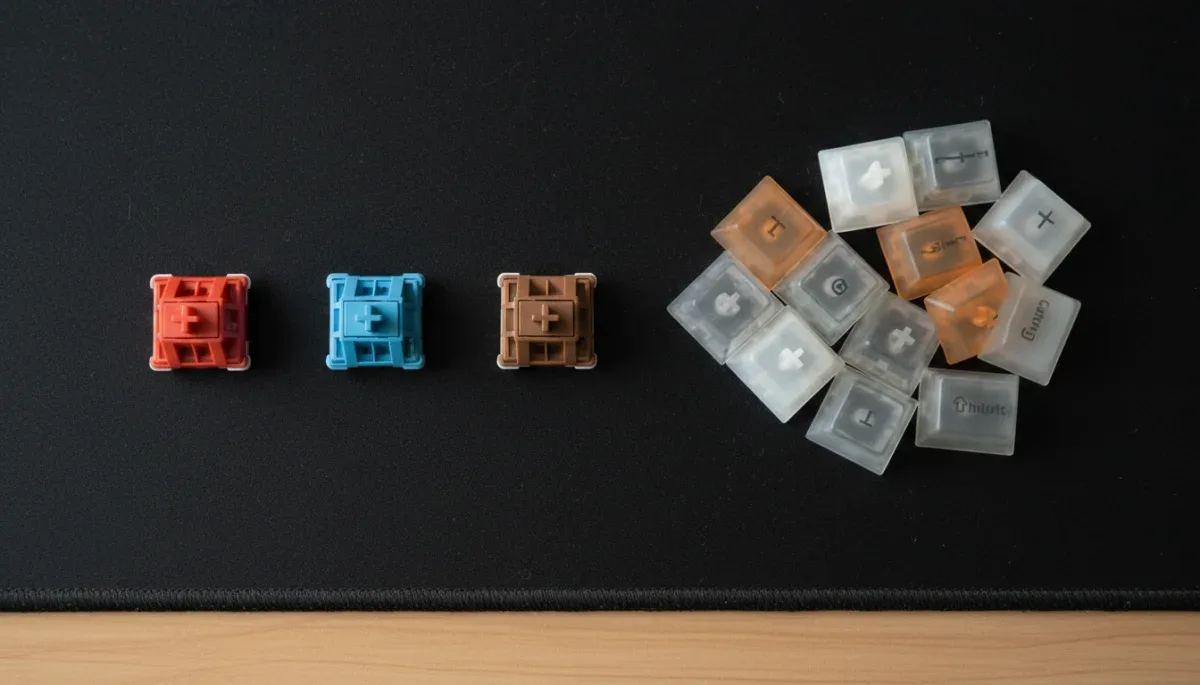
Unlike membrane boards that feel largely identical across different models, mechanical keyboards offer distinct internal stem profiles categorized by their physical sensation and acoustic output. Most consumer switches follow color-coding conventions popularized by German manufacturer Cherry, which many third-party switch producers copy for consistency.
Primary mechanical switch categories
- Linear switches (commonly Red): The stem moves down smoothly without any tactile bump or audible click along the path, requiring consistent force from start to finish.
- Tactile switches (commonly Brown): The stem includes a small physical ridge that creates a brief increase in resistance just before the actuation point, signaling that the keystroke registered without needing a loud click.
- Clicky switches (commonly Blue): The mechanism utilizes a split stem or a click-bar that snaps downward at actuation, producing both a sharp tactile snap and a crisp, high-pitched auditory click.
Linear switches appeal heavily to gamers because the lack of tactile resistance allows for rapid double-tapping and smooth, quiet keystrokes. Tactile switches are widely preferred by writers who want physical feedback confirming their input without disturbing housemates or office coworkers. Clicky switches provide the most pronounced typing feedback, resembling vintage electric typewriters, but their sharp acoustics frequently transmit through desktop microphones during remote work meetings.
Typing fatigue, travel distance, and actuation force
Typing fatigue occurs when the small muscles and tendons in your hands and forearms absorb excessive shock from slamming into hard plastic or straining against uneven resistance. The interaction between total travel distance and actuation force directly determines how your hands feel after hours of data entry, programming, or casual drafting.
Actuation force is measured in gram-force or centinewtons, representing the weight required to depress the switch to its registration point. Budget membrane keyboards typically require between 55 and 70 gram-force to overcome the initial resistance of the rubber dome. Mechanical switches offer a much broader spectrum, ranging from ultra-light 35-gram springs to stiff 80-gram options, though standard consumer units typically center around 45 to 50 gram-force.
Because membrane boards demand complete bottom-out contact at the bottom of their stroke (typically 3.5 to 4.0 millimeters), typists routinely hit the plastic backplate with full hand weight. Over time, that repetitive blunt impact transfers back into your finger joints. Mechanical switches allow users to develop a floating typing style, where strokes stop gently just past the midpoint, mitigating direct skeletal impact against the desk surface.
Durability, repairability, and budget replacement costs
The total lifespan of a keyboard depends on materials and component isolation. Standard membrane keyboards generally carry manufacturer durability ratings of 5 million to 10 million keystrokes per key before the internal elastomer domes wear down or the carbon contact pads wear away. Because the electrical traces are printed on delicate plastic film, liquid spills or micro-cracks in the trace lines usually render the entire keyboard unusable.
In contrast, standard mechanical switches are typically rated between 50 million and 100 million keystrokes per individual switch. Their metal contact leaves resist wear, and the internal springs maintain consistent tension for years. Maintenance is also fundamentally modular. If you accidentally spill water on a mechanical keyboard, letting it dry completely often leaves the physical contacts undamaged.
Many affordable mechanical keyboards now feature hot-swappable printed circuit boards. On a hot-swappable board, if a single key begins chattering—registering twice on a single press—or stops detecting input, you can pull that specific switch out using a small metal tool and insert a replacement switch that costs pennies, without touching a soldering iron or discarding the chassis.
Buying budget keyboards online and checking return policies
When shopping for electronic accessories on discount platforms like SHEIN, Temu, or third-party storefronts on Amazon, reading product specifications carefully is essential to avoid purchasing simulated products. Many ultra-cheap listings use phrases like mechanical feel, mechanical sensation, or semi-mechanical. These terms indicate a standard membrane keyboard paired with tall keycaps designed to mimic the aesthetic appearance of a true mechanical board while offering none of the individual switch mechanics.
To confirm that you are purchasing genuine mechanical hardware, check the item description for named switch manufacturers, such as Outemu, Gateron, Kailh, or Jixian, or verify that the product includes extra switches and a keycap puller in the box. Authentic mechanical keyboards will explicitly state the specific switch color variant and note whether the board is fixed-soldered or hot-swappable.
Always review the merchant return window and warranty terms before completing your purchase. Electronics shipped from international discount retailers often carry short 30-day return windows, and return shipping fees may apply unless the item arrives defective. Keep all original retail packaging, cables, and packaging inserts until you have connected the device and tested every individual key using a free online keyboard tester to verify there are no dead matrix traces or bent switch pins right out of the box.
At a glance
| Factor | What to know |
|---|---|
| Operating mechanism | Membranes use a full rubber sheet; mechanicals use separate spring-loaded switches. |
| Actuation point | Membrane keys register at full bottom-out; mechanical keys register halfway down. |
| Acoustic volume | Membrane boards stay naturally quiet; mechanical noise depends on switch type. |
| Long-term maintenance | Damaged membrane sheets require full replacement; hot-swap switches change out individually. |
Frequently asked questions
Are mechanical keyboards always louder than membrane models?
No, sound levels depend directly on switch design. While clicky switches produce loud, sharp snaps, silent linear mechanical switches utilize small internal dampening pads on the stem that make them just as quiet as standard rubber dome office keyboards during everyday typing.
Can I change the keycaps on any keyboard?
Keycap replacement depends on the stem design beneath the cap. Mechanical keyboards use standardized cross-shaped stems that fit thousands of custom replacement sets, while membrane keyboards use proprietary plastic clips that rarely permit swapping keycaps between different models.
What does a hot-swappable mechanical keyboard mean?
A hot-swappable keyboard allows you to remove and replace individual mechanical switches without desoldering electrical joints. Sockets on the circuit board hold switch pins through friction, allowing you to unplug switches using a simple puller and insert new ones in seconds.
Why are membrane keyboards still widely used?
Membrane keyboards remain popular because they are inexpensive to produce, lightweight, and thin. Their sealed rubber sheets provide built-in spill resistance, making them practical for schools, busy commercial offices, and low-profile laptops where bulky mechanical switches cannot physically fit.
The bottom line
Switch types fundamentally dictate your typing comfort, acoustic footprint, and replacement costs over years of daily computer use. Membrane models remain the sensible, cost-effective choice for quiet shared environments and low-maintenance setups, while mechanical keyboards reward those willing to spend slightly more for distinct tactile control, reduced finger strain, and modular repairability. Before buying an inexpensive keyboard on an online marketplace, inspect the listing photos and customer reviews to confirm you are purchasing authentic individual switches rather than a simulated mechanical feel board.
Written by
Maria Eduarda
Maria Eduarda writes about discounts, house and electronics for onlyshein.com. Each article explains how things work, compares published details such as prices, policies and program rules, and points readers to the official source before they decide.