
Understanding USB-C charging standards before buying cables
Ads
A replacement USB-C cable will charge your device safely and quickly only if its wattage rating, protocol support, and internal safety chips match what your charger and hardware require. Many cables share the exact same oval connector shape on the outside while housing completely different wiring, thermal safeguards, and power handling capabilities on the inside.
Ads
This breakdown helps shoppers buying budget electronics online identify the right cable specifications for phones, tablets, and laptops, though verifying these details requires reading published product listings carefully rather than relying on generic product titles.
Ads
The difference between connector shapes and power protocols
The term USB-C refers solely to the physical shape of the connector and port. It does not guarantee a specific charging speed, data rate, or video transmission capability. The USB Implementers Forum (USB-IF), the standards body that oversees USB development, designed the reversible 24-pin connector to replace older rectangular USB-A and micro-USB plugs. However, the physical plug is merely a conduit for various underlying technical standards.
Power transmission depends on the charging protocol negotiated between the power adapter, the cable, and the receiving device. When you plug a device in, integrated circuits on both ends communicate to determine the highest safe voltage and amperage. If a cable lacks the physical wire gauge or digital certification to communicate that handshake, the connected devices drop down to a baseline safety speed, often resulting in frustratingly slow charging times.
Key factors in basic power delivery
- Standard baseline power: Basic USB-C connections deliver standard power at 5 volts and up to 3 amps for a maximum of 15 watts.
- Voltage negotiation: Fast-charging systems raise the voltage above 5 volts to push more energy without overheating thin wiring.
- Safety throttling: Devices automatically reduce incoming current if an uncertified or under-specced cable cannot verify thermal limits.
Wattage ratings and why e-marker chips matter
USB-C cables fall into distinct power tiers based on their internal wiring and whether they contain an electronic marker chip, commonly called an E-Marker chip. An E-Marker is a small integrated circuit inside the cable connector that tells the charger and device how much current the cable can safely carry. Without this chip, standards mandate that charging current cannot exceed 3 amps.
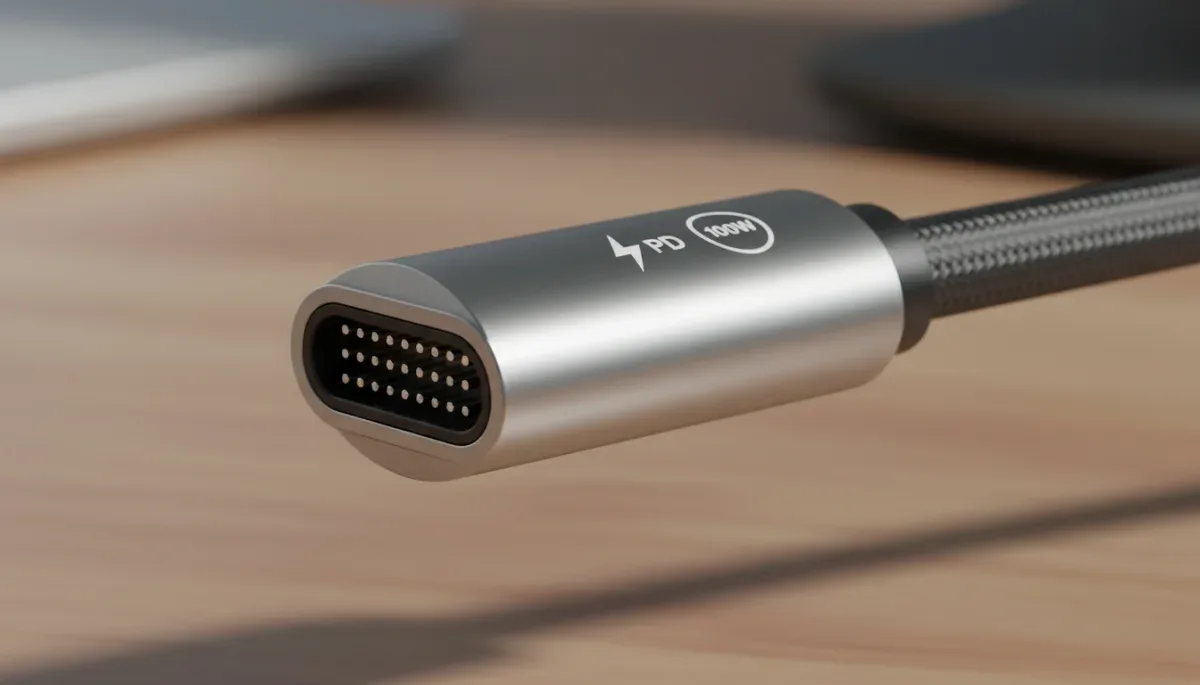
Under current USB-IF specifications, standard non-chipped cables handle up to 60 watts of power (20 volts at 3 amps). Cables rated for higher capacities must include an E-Marker chip and thicker copper conductors. Under the older USB Power Delivery 3.0 standard, high-capacity cables supported up to 100 watts (20 volts at 5 amps). The newer USB Power Delivery Extended Power Range (EPR) standard supports up to 240 watts (48 volts at 5 amps), which powers high-performance gaming laptops and demanding workstation setups.
When shopping on budget online marketplaces, listings frequently use buzzwords like ultra-fast or heavy-duty without specifying the exact wattage tier. A cord marketed for a smartphone might only carry 60 watts, which will underpower or slowly charge a laptop requiring an 87-watt or 100-watt supply.
USB Power Delivery and proprietary fast charging
The dominant open standard for high-speed charging is USB Power Delivery, often abbreviated as USB-PD. Major manufacturers such as Apple, Google, and Samsung rely on USB-PD or its sub-standard, Programmable Power Supply (PPS), for their modern hardware. PPS allows the device to request small, incremental voltage adjustments in real time, keeping the battery cooler while filling it faster.
Some brands, particularly budget Android manufacturers and accessory vendors, utilize proprietary fast-charging systems alongside or in place of standard USB-PD. These proprietary systems sometimes modify the pin configurations or push higher amperage at lower voltages over custom cables. If you purchase a generic third-party replacement cable, it will revert to standard USB-PD baseline speeds unless the product page explicitly lists compatibility with that specific proprietary protocol.
Common fast-charging standards to match
- USB-PD with PPS: The standard used by modern Google Pixel phones, Samsung Galaxy devices, and Apple MacBooks for optimized thermal management.
- Quick Charge: A widely licensed protocol developed by Qualcomm, found in many mid-range Android devices and multi-port charging hubs.
- Proprietary flash charging: High-amperage systems that require specialized cables and bricks from the original device brand to achieve peak wattage.
Data transfer speeds versus charging capabilities
A common misconception when buying replacement cables is assuming that a cord capable of fast charging also transfers computer files quickly. In reality, charging capacity and data transfer speeds are engineered separately inside the cable jacket. Manufacturers of budget charging cables routinely omit high-speed data wires to keep production costs down and keep cords flexible.
Many affordable 100-watt and 240-watt charging cables only include basic USB 2.0 data wiring inside, which caps file transfers at 480 megabits per second. If you only need to charge your phone from a wall outlet or power bank, a USB 2.0 charging cable is completely fine and often more durable. However, if you plan to transfer large video files to a computer, connect external monitors, or run an external hard drive, you must look for cables designated as USB 3.2, USB4, or Thunderbolt, which feature higher data bandwidth alongside power delivery.
How to spot safe replacement cables on budget shopping sites
Low-cost shopping platforms offer extensive selections of replacement electronics, but filtering out poorly made accessories requires a systematic approach. Substandard cables built with thin copper wire, weak strain relief, or missing pull-up resistors can cause voltage drops, excessive heat buildup, or port damage on expensive phones and laptops.
Examine the written product specification sheet rather than promotional photos. Reliable sellers publish exact numerical figures: look for explicit listings of 60W, 100W, or 240W ratings, 3A or 5A current support, and mention of over-current protection. Check user feedback for notes on connector fit; a properly built USB-C head should seat securely into a port without excessive wobbling or requiring forceful insertion.
Checklist for evaluating online cable listings
- Numerical power specs: Look for stated maximum watts and amps rather than vague fast-charging descriptions.
- Jacket materials: Braided nylon jackets offer better resistance to bending and fraying near the connector neck than thin PVC plastic.
- Compliance markings: Look for stated adherence to USB-IF standards, UL safety testing, or CE conformity in the product documentation.
- Cable length limits: High-wattage power degrades over excessive distances; 3-foot and 6-foot cords maintain peak efficiency better than 10-foot unpowered budget cords.
At a glance
| Specification factor | What to know |
|---|---|
| Maximum wattage | Choose 60W for standard phones and tablets, or 100W to 240W for laptops and high-draw hardware. |
| E-Marker chip | Required on all cables that deliver more than 60W or 3A of electrical current. |
| Data transfer speed | Dedicated charging cables usually transfer data at basic USB 2.0 speeds unless rated for USB 3.2 or USB4. |
| Protocol compatibility | Check for USB Power Delivery and PPS support to ensure fast charging on modern phones and laptops. |
Frequently asked questions
Can a cheap USB-C cable damage a battery?
A poorly manufactured cable with missing resistors or defective wiring can supply improper voltage or overheat, potentially damaging charging ports or power controllers. Modern devices contain internal battery protection circuits, but using cables with verified safety specifications remains essential to prevent hardware stress.
Do all USB-C cables support 100W or 240W charging?
No, standard USB-C cables without an internal E-Marker chip are limited to 60 watts at 3 amps. Reaching 100 watts or 240 watts requires thicker internal conductors and an integrated E-Marker chip that communicates safety limits directly to your power supply.
Why does my phone say slow charging with a new cable?
Your phone displays slow charging when the replacement cable cannot negotiate a fast-charging handshake with the wall adapter. This happens if the cable lacks required protocol wiring, uses an incompatible pin configuration, or exceeds length limits that cause voltage drops.
Are braided cables better for charging performance?
Braided nylon improves physical durability and resists fraying at the connector neck, but it does not change electrical charging performance. Electrical speed depends entirely on the gauge of the copper wires, shielding layers, and internal controller chips inside the cord.
The bottom line
Matching your replacement cable to the exact power requirements of your device ensures fast charging while protecting internal battery health. Always look for published wattage limits and Power Delivery ratings rather than generic marketing terms. Before completing an order on any discount retail site, check the exact wattage requirements printed on your original power adapter or device user manual to make sure the replacement cord supports that full capacity.
Written by
Maria Eduarda
Maria Eduarda writes about discounts, house and electronics for onlyshein.com. Each article explains how things work, compares published details such as prices, policies and program rules, and points readers to the official source before they decide.